

Page Last Updated on 2025-11-06

Accessing the Documents and Images Screen
The Documents screen is accessible only when you upgrade to the Pro Edition of MedZuse.
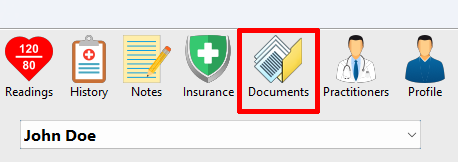
To access the Documents screen: On the toolbar, click on the Documents button. The Documents screen will appear.
Important Note
After adding one or more documents to MedZuse Documents, it’s important to back up your MedZuse database. To do this, export a MedZuse data file for each user profile. For best results, exported files should be saved to a portable drive or a cloud storage service.
Failing to back up your data by exporting and safely storing a Medzuse Data File may result in the permanent loss of your documents and other important information.
How to View, Add, Edit, or Delete a Document
- View a Document
- Add a Document
- Edit a Document Record
- Delete a Record in a List
- Delete Multiple Records in a List
See also
Comments / Questions
Copyright © 2026 TruVes Systems LLC. All rights reserved.
See Trademarks
of TruVes Systems LLC.