

Page Last Updated on 2025-11-07

Accessing the Medications List
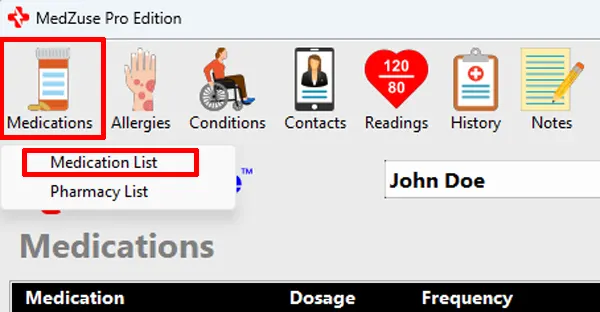
To access the Medications List: On the toolbar, click on the Medications button and select Medications List from the dropdown list. The Medications List screen will appear.
Editing the Medications List
The Medications List can be edited the following ways:
- Add a Medication to the Medications list
- Edit a Medication on the Medications List
- Change the Sort Order of a Record in a List
- Delete a Record in a List
- Delete Multiple Records in a List
See Also
- How to Create a Personal Medical Record Report containing a Medications List
- How to Include Your Current Medications Only in the Report
Comments / Questions
Copyright © 2026 TruVes Systems LLC. All rights reserved.
See Trademarks
of TruVes Systems LLC.