

Page Updated on September 28, 2026
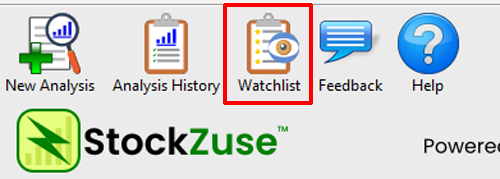
This opens the Watchlist, which displays the companies you have added from the Analysis History.
Each row represents a company on your Watchlist and includes information from its latest saved analysis, including the analysis date, ticker symbol, company name, Composite Result, and ZuseScore.
Open the Latest Analysis
To review the latest saved analysis for a company, locate the company you want to view and double-click its row in the Watchlist.

In this example, we are opening the latest saved analysis for Microsoft Corporation (MSFT).
Alternatively, you can right-click the company row and select View Analysis.
StockZuse opens the saved ZuseScore Results for that analysis.
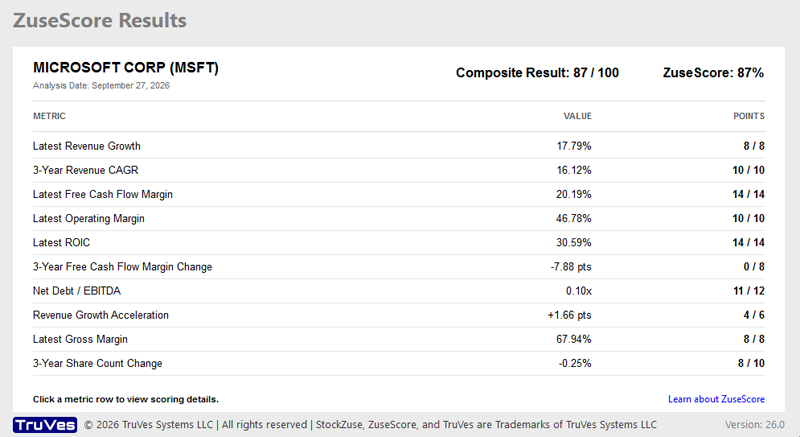
The results shown are from the company’s latest saved analysis. Opening the analysis from the Watchlist does not retrieve new financial data or recalculate the ZuseScore.
To evaluate the company using currently available financial data, start a New Analysis.
Remove a Company from the Watchlist
To remove a company from your Watchlist, click the gold star for the company.

The company is removed from the Watchlist.
Alternatively, you can right-click the company row and select Remove from Watchlist.
Removing a company from the Watchlist does not remove its saved analyses from the Analysis History. You can add the company to your Watchlist again at any time from the Analysis History.
Understanding the Watchlist
The Watchlist tracks companies rather than individual analyses. When a company has more than one saved analysis, the Watchlist displays information from its latest saved analysis.
When you perform a new analysis of a company on your Watchlist, the Watchlist automatically updates to the new analysis and moves the company to the top of the list. This keeps recently analyzed companies readily accessible.
The Analysis History, by comparison, keeps the individual analyses you have performed so you can return to results from a particular analysis date.
Together, the Watchlist and Analysis History provide two different ways to work with your saved StockZuse analyses: the Watchlist helps you keep track of companies of interest and their latest analyses, while the Analysis History provides access to the individual analyses you have performed.