

Page Updated on September 26, 2026
StockZuse objectively analyzes a company’s financial information using the defined metrics and scoring rules of the ZuseScore Methodology.
The ZuseScore is the company analysis step of the broader StockZuse Research Strategy, which provides a structured process for identifying market areas, industries, and individual companies that may warrant further research.
Companies that can be analyzed: StockZuse can analyze publicly traded companies that file financial statements with the U.S. Securities and Exchange Commission (SEC) using U.S. GAAP and have sufficient compatible financial data available.
This guide walks through a company analysis using Microsoft Corporation (MSFT) as an example. It also demonstrates how you can examine an individual metric in greater detail and review the methodology StockZuse uses to calculate and score that metric.
Note: Company financial data changes over time as new financial reports become available. The results shown in this guide reflect Microsoft Corporation (MSFT) at the time the example analysis was performed. A new analysis performed at a later date may produce different metric values, scores, and an overall ZuseScore.
Follow these steps in the StockZuse application. The images below are provided as examples and are not interactive.
Start a New Analysis
To begin, click New Analysis on the StockZuse toolbar.
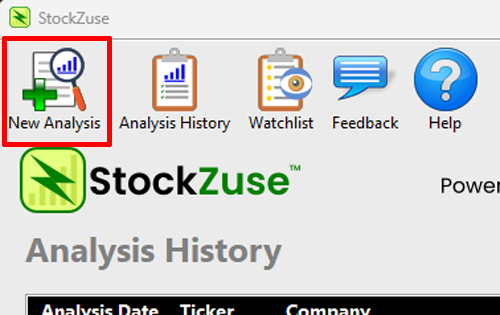
This opens the New Analysis window, where you can enter the ticker symbol for the company you want to analyze.
Enter the Company Ticker
Enter the company’s ticker symbol in the Ticker field. In this example, we are analyzing Microsoft Corporation (MSFT).
Click Find Company.
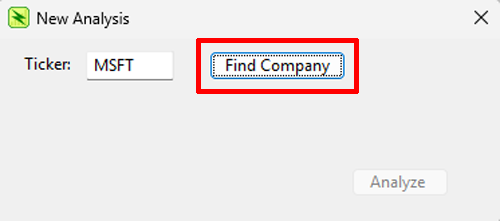
StockZuse will use the ticker symbol to locate the company and display the company information for you to verify before beginning the analysis.
Verify the Company and Run the Analysis
StockZuse displays the company name associated with the ticker symbol and loads the available SEC financial data.
Verify that the correct company is displayed. A ✓ SEC financial data loaded message indicates that the financial data needed for the analysis has been retrieved.
Click Analyze to begin the company analysis.
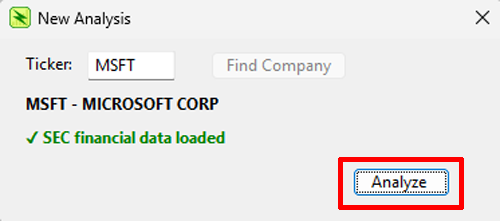
When the analysis is complete, StockZuse automatically displays the ZuseScore Results.
Review the ZuseScore Results
When the analysis is complete, StockZuse displays the ZuseScore Results.
The results show the calculated value and points earned for each available ZuseScore metric. At the top of the results, the Composite Result shows the total points earned and possible, while the ZuseScore expresses that result as a percentage.
To examine how a metric was calculated and scored, click its metric row.
In this example, click the Latest Free Cash Flow Margin row.
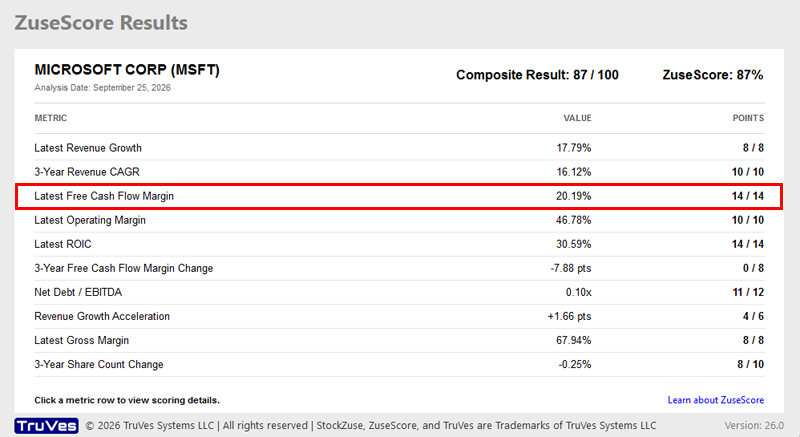
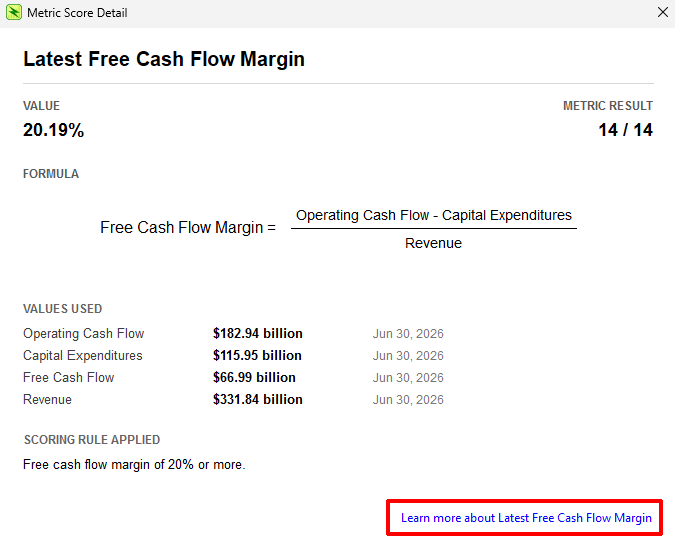
This opens the Metric Score Detail window.
Review the Metric Score Detail
The Metric Score Detail window explains how StockZuse calculated and scored the selected metric.
For Latest Free Cash Flow Margin, StockZuse displays the calculated value, points earned, formula, financial values used in the calculation, and the scoring rule that was applied.
In this example, Microsoft has a Latest Free Cash Flow Margin of 20.19%, resulting in a Metric Result of 14 / 14.
For additional information about what the metric measures and how it is scored, click Learn more about Latest Free Cash Flow Margin.
Learn More About the Metric
The Latest Free Cash Flow Margin Help page provides additional information about the selected metric, including what it measures, its formula, how StockZuse uses it, and the rules used to determine its score.
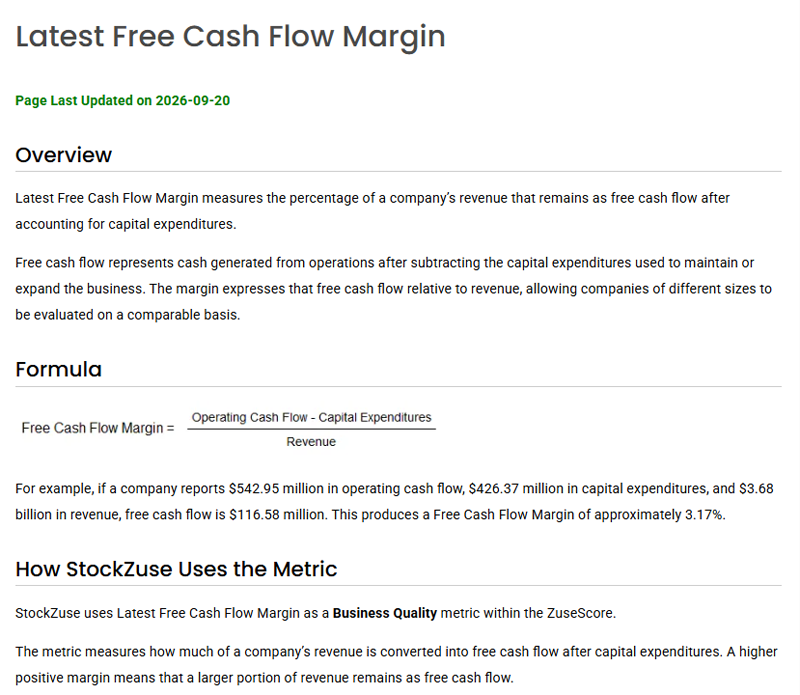
Each ZuseScore metric has its own Help page. You can use these pages to understand the methodology behind an individual metric and how it contributes to the overall ZuseScore.
Understanding Your Analysis
StockZuse is designed to make the analysis process transparent. You can trace the overall ZuseScore to an individual metric result, review the financial values and formula used to calculate that metric, and then review its documented scoring methodology.
The ZuseScore is intended as a research tool rather than an investment recommendation. Use the results together with your own research when evaluating a company.