

Page Updated on January 15, 2025
New for Version 24.0
How to Export Readings to the BPTrakr app
This tool exports a BPTrakr Data (.bpt) File, which is used to import Readings records into the BPTrakr – Blood Pressure Tracker app.
Note: The BPTrakr app requires all records to have blood pressure readings, therefore only records containing blood pressure data will be exported.
Follow these simple steps to export a BPTrakr Data File:
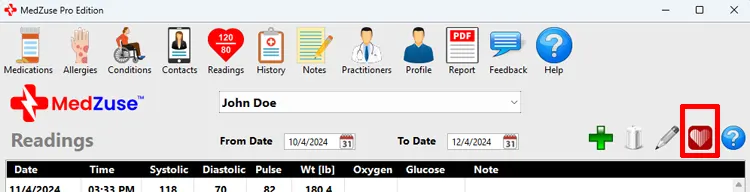
Step 1: On the Readings screen, click on the Import/Export for BPTrakr button. The Import / Export Readings window will appear.
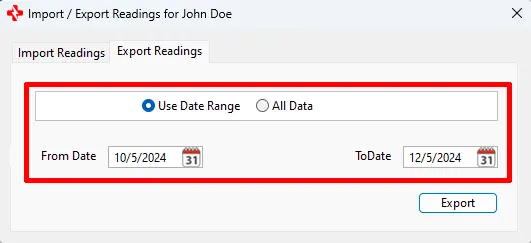
Step 2: On the Import / Export Readings window, select the Export Readings tab, then select the date range of the data that you want to export, or select All Data.
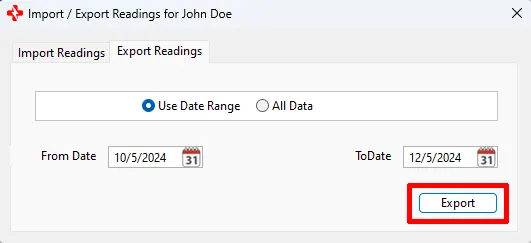
Step 3: On the Import / Export Readings window, click on the Export button.
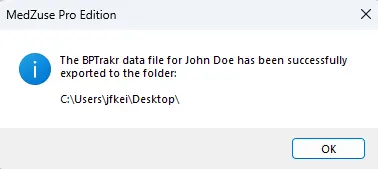
You have successfully exported the Readings data!
To import the data file into the BPTrakr app see this guide from the BPTrakr Help Manual.
See also
- Import Readings from BPTrakr
- Learn more about the BPTrakr – Blood Pressure Tracker App
Comments / Questions