

Page Last Updated on 2024-11-30
New for Version 24.0
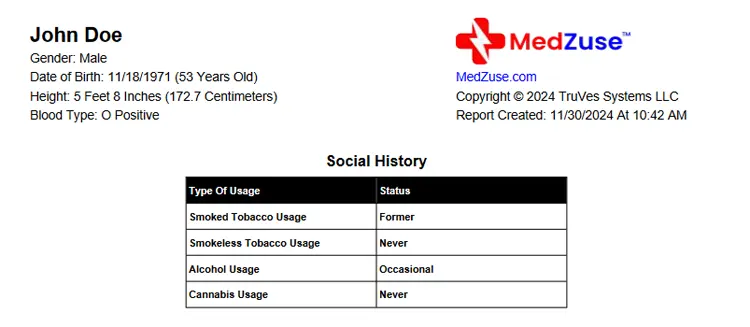
Accessing the Social History List
The Social History List is accessible only when you upgrade to the Pro Edition of Medzuse.
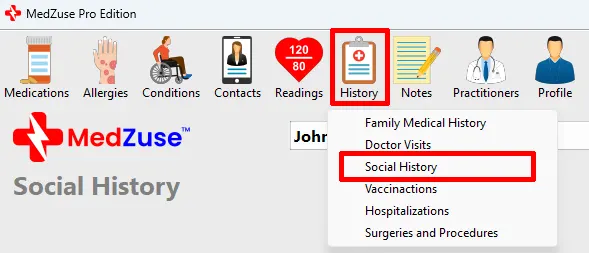
To access the Social History List: On the toolbar, click on the History button and select Social History from the dropdown list. The Social History screen will appear.
How to Create or Edit a Social History List
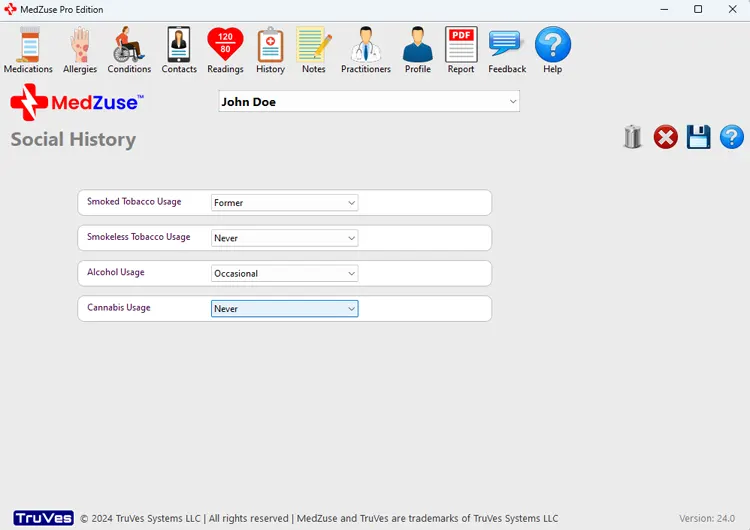
Step 1: On the Social History screen, select the appropriate status value for each of the following fields:
- Smoked Tobacco Usage
- Smokeless Tobacco Usage
- Alcohol Usage
- Cannabis Usage
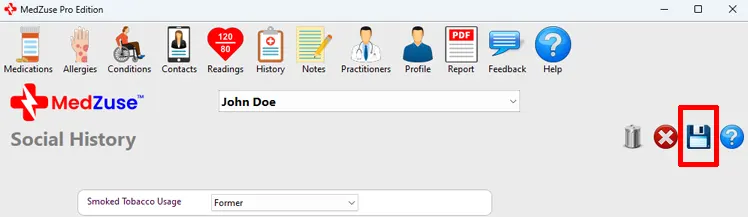
Step 2: After completing the desired fields, on the right-hand side of the Social History screen, click on the Save List button to save the record.
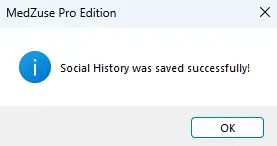
A message will appear confirming that the Social History was saved successfully.
See Also
- How to Create a Personal Medical Record Report containing a Social History List
Comments / Questions