

Page Updated on November 30, 2024
New for Version 24.0
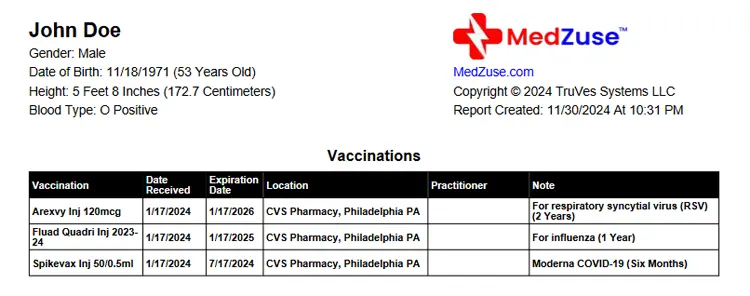
Accessing the Vaccinations List
The Vaccinations List is accessible only when you upgrade to the Pro Edition of Medzuse.
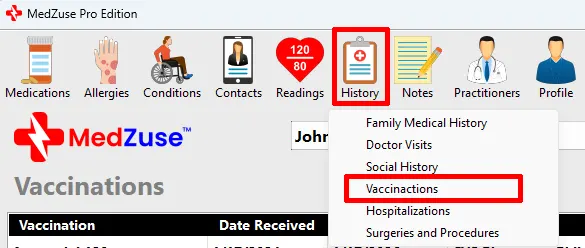
To access the Vaccinations List: On the toolbar, click on the History button and select Vaccinations from the dropdown list. The Vaccinations screen will appear.
Editing the Vaccinations List
The Vaccinations List can be edited the following ways:
- Add a Record to the Vaccinations List
- Edit a Record on the Vaccinations List
- Delete a Record in a List
- Delete Multiple Records in a List
See Also
- How to Create a Personal Medical Record Report containing a Vaccinations List
Comments / Questions
Copyright © 2026 TruVes Systems LLC. All rights reserved.
See Trademarks
of TruVes Systems LLC.