

Page Last Updated on 2025-10-14
New for Version 25.2
How to Add an Insurance to the Insurances List
Step 1: On the Insurances screen, click the Add Record button (the green plus-sign icon). The Insurance Record screen will appear.

Step 2: On the Insurance Record screen, the following fields are available:
- Insurance Name (Required)
- Insurance ID
- Plan Name
- Plan Number
- Group Number
- Customer Service Phone
- Website / Portal (Optional – Must be a valid URL)
- Start Date
- End Date
- Note
- Documents / Images
Tip: Use the scrollbar or resize the window to view all fields.
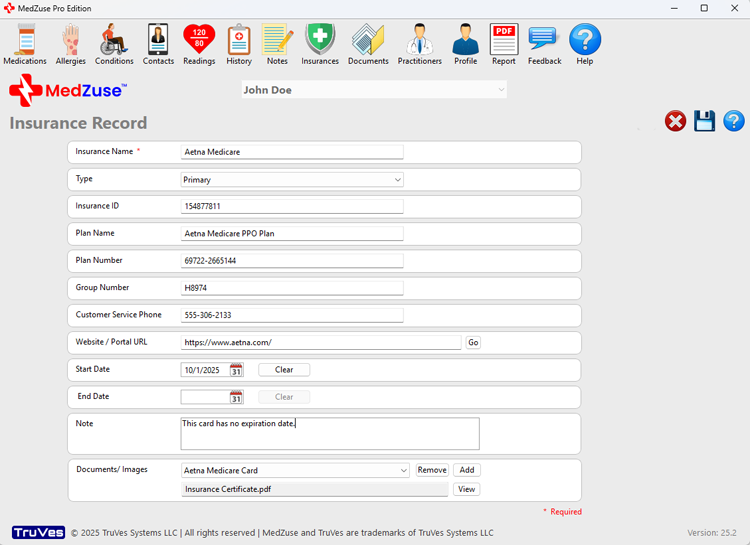
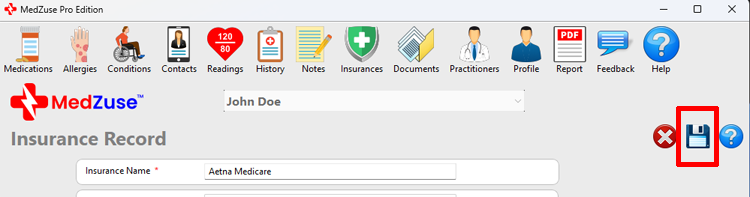
Step 3: After completing the desired fields, on the right-hand side of the Insurance Record screen, click on the Save Record button to save the record.
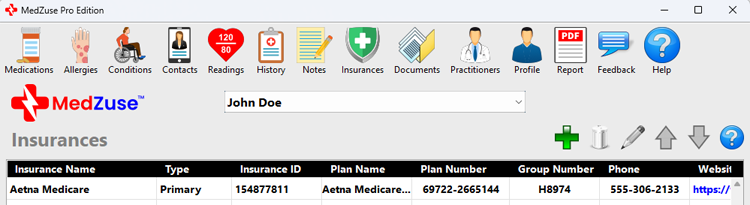
The new Insurance record will now appear in the list.
Repeat the steps above to add more records to the list.
See also
- Edit an Insurance on the Insurances List
- Change the Sort Order of a Record in a List
- Delete a Record in a List
- Delete Multiple Records in a List
Comments / Questions