

Page Last Updated on 2025-06-18
New for Version 24.0
Create a Report
First, create a Personal Medical Record Report to view. See How to Create a Personal Medical Record Report.
View the Report
Follow these instructions to view the report you previously created:
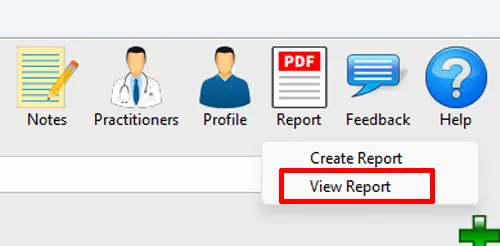
Step 1: On the toolbar, click on the Report button and select View Report from the dropdown list. The Select a PDF File window will appear.
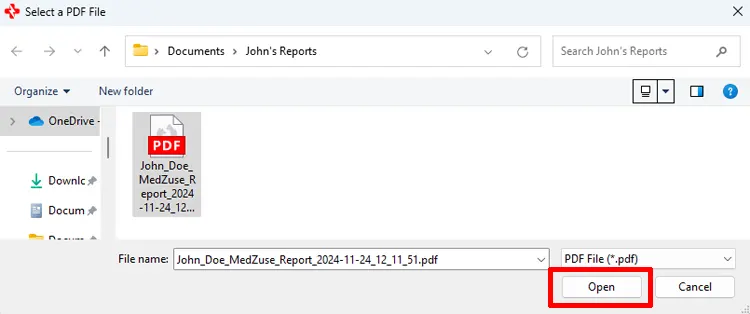
Step 2: On the Select a PDF File window, navigate to the location of the PDF file of the Personal Medical Record Report you previously created. Then click on the PDF file to select it. While the file is selected, click the Open button. The report file will open in your computer’s default PDF reader.
Note: The printing of the report is a function of your PDF reader. Consult your PDF reader’s documentation for help to print your report.