

Page Last Updated on 2025-08-17
New for Version 24.9
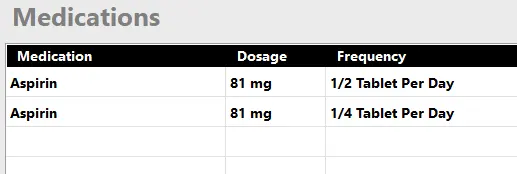
The Medications feature is available only when you upgrade to BPTrakr’s Pro Edition.
Setting up a Half or Quarter Tablet on a Medications Record
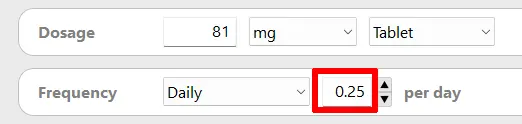
- The medication will display as “1/4 Tablet” when you enter 0.25 as number of tablets in the Frequency field of the Medications Record.
- The medication will display as “1/2 Tablet” when you enter 0.5 as number of tablets in the Frequency field of the Medications Record.
See also
- How to Create a Medications List
- How to Edit the Medications List
- How to Import the Medications List
- How to Export the Medications List
- How to Add the Medications List the Blood Pressure Report
Comments / Questions