

Page Last Updated on 2025-10-30
Viewing a Lengthy Note on the Data Screen
To view the full text of a lengthy note in the Note column on the Data screen, simply hover your mouse cursor over the row containing the note. A tooltip will appear, displaying the complete content of the note entered for that record.

Sorting the data by date
Because the more recent Blood Pressure readings are considered most relevant, the default view of the Data screen on BPTrakr has the latest records listed on top.
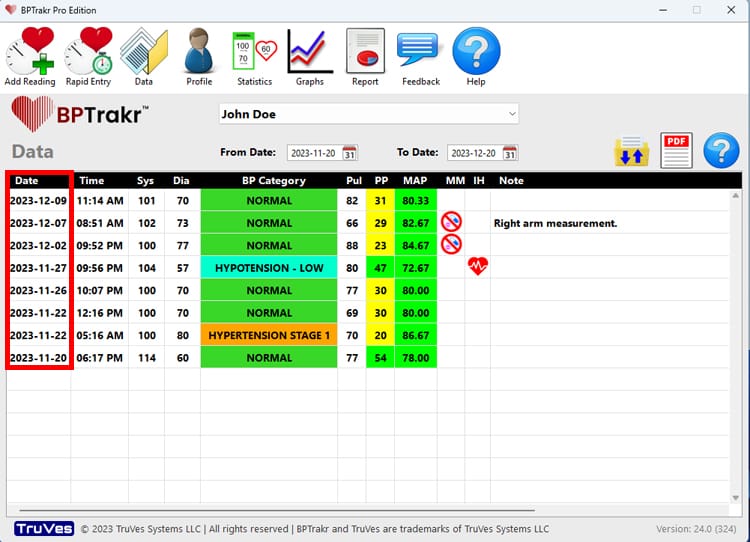
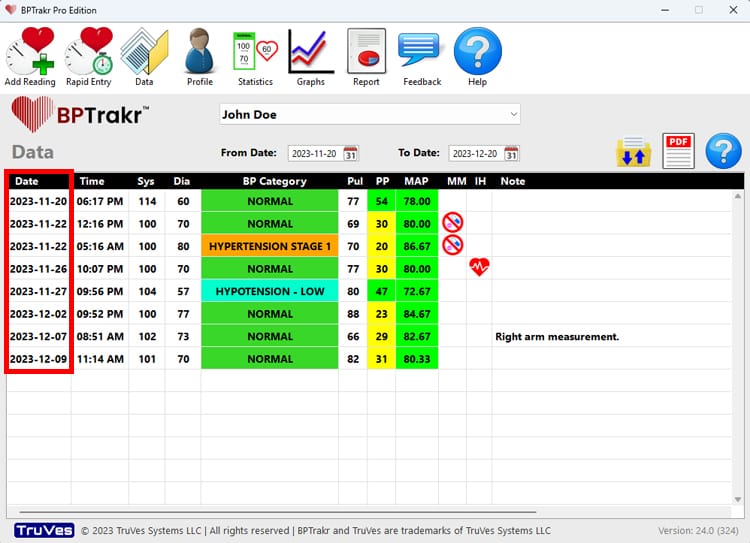
However, you can change the sort order of the records by simply clicking on the Date heading in the data list. Doing this will put your first entry at the top of the list and last entry at the bottom, essentially reversing the order on entries. If you click the Date heading again, you will toggle the date sort and return to the original default descending date view.
See also
Comments / Questions