

Page Last Updated on 2025-06-21
New for Version 25.4

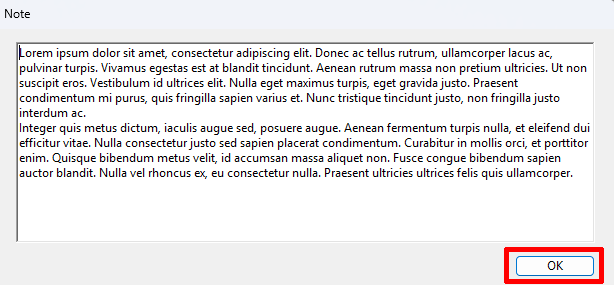
With the Note Window, you can enter and view an unlimited amount of text for each record. The window can also be resized to your preference. The Note Window can be accessed from the Blood Pressure Reading screen or the Rapid Entry screen.
Accessing the Note Window from the Blood Pressure Reading screen
To access the Note Window from the Blood Pressure Reading screen, click the “pop-up” icon on the Note field.

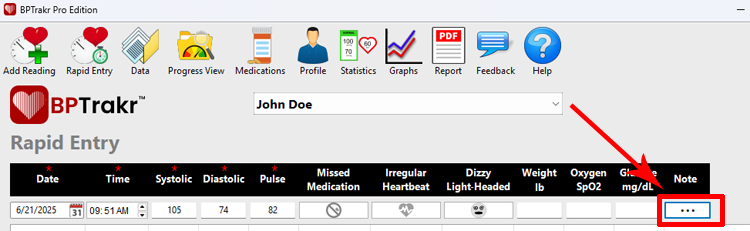
Accessing the Note Window from the Rapid Entry screen
To access the Note Window from the Rapid Entry screen, click the on the Note field.
Save and Close
To Save and Close the Note Window, click the on the OK button.
Comments / Questions
Copyright © 2026 TruVes Systems LLC. All rights reserved.
See Trademarks
of TruVes Systems LLC.