

Page Last Updated on 2025-11-07
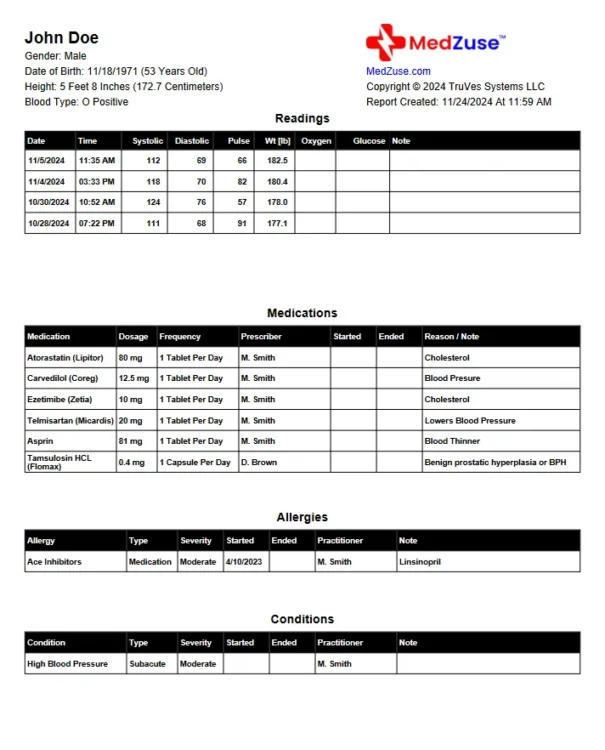
Reports created with MedZuse Pro Edition
The MedZuse Pro Edition creates customized comprehensive Personal Medical Record Reports in PDF format. These Reports can be either emailed or printed and presented to a medical professional such as your family physician. With the Pro Edition, you have access to all of the data lists available in MedZuse to create a Personal Medical Record Report.
A Pro Edition license is required to create reports containing the following lists:
- Family Medical History
- Doctor Visits
- Social History
- Vaccinations
- Hospitalizations
- Surgeries and Procedures
- Treatments
- Documents and Images
Reports created with the MedZuse Free Edition
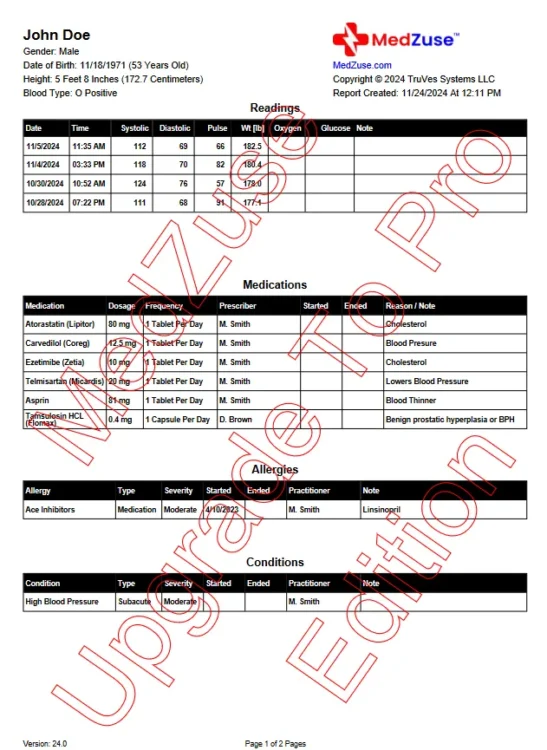
Please note that the MedZuse Free Edition creates reports with a digital watermark with the words “MedZuse – Upgrade To Pro Edition” embedded into the PDF document. Reports created with the MedZuse Pro Edition do not contain this watermark. To learn about the MedZuse Pro Edition, see the MedZuse Product Page.
Note: The content of a report created with the MedZuse Free Edition is limited to the following data lists:
- Medications List
- Pharmacy List
- Allergies List
- Readings List
- Conditions List
- Contacts List
- Practitioners List
- Insurances
- Notes and Questions
Create the Personal Medical Record Report
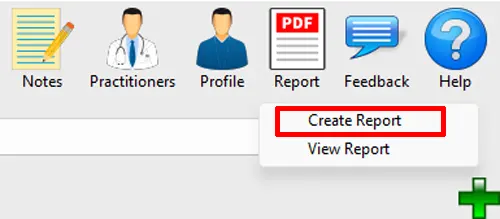
Step 1: On the toolbar, click on the Report button and select Create Report from the dropdown list. The Create Report window will appear.
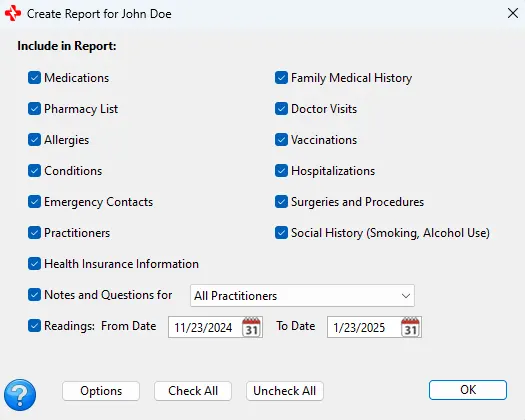
Step 2: On the Create Report window, select or deselect the desired data lists to be included in the report. When selecting the Readings, set the date range for the Readings. Click the OK button.
Note: The default Report Output Folder is your computer’s Desktop folder. To select a different folder or a new folder, see the help document: How to Change the Report Output Folder.
A PDF file of your report is created and displayed in your computer’s default PDF reader.
To view a report previously created in MedZuse, see the help document: How to View a Personal Medical Report.
Note: The printing of the report is a function of your PDF reader. Consult your PDF reader’s documentation for help to print your report.
See also
- How to Change the Report Output Folder
- How to View a Personal Medical Report
- How to Include Your Documents and Images on the MedZuse Report
- How to Include Your Current Medications Only in the Report
Comments / Questions